API Basics: Fetching /v1/confirm Scores in Real-Time
Before wiring signals into your stack, you need a reliable data feed that turns raw market noise into a single actionable number. The Smart Money API does exactly that by fusing derivatives order‑flow, on‑chain flows, macro momentum, and the activity of over 1,500 high‑confidence whale wallets into one composite score. This trade‑confirmation score ranges from 0.0 to 1.0 and aggregates multiple sub‑scores — derivative sentiment, on‑chain accumulation, and whale movement — so you never have to parse five different dashboards again. The free tier allows testing with real‑time data, making it ideal for integration projects.
What the Endpoint Returns
The main endpoint is a simple GET request: /v1/confirm?symbol=BTC&direction=long. The response is a clean JSON object that tells you whether the algorithm sees a high‑probability setup, plus a size multiplier to help you scale into the trade. Here is a real response you would receive:
GET /v1/confirm?symbol=BTC&direction=long
{
  "composite": 0.74,
  "confidence": "HIGH",
  "action": "CONFIRM",
  "size_mult": 1.5,
  "deriv_score": 0.81,
  "onchain_score": 0.68,
  "whale_score": 0.73
}
The composite field is the master number; above 0.7 typically triggers a HIGH confidence level and a CONFIRM action. The size_mult can be used to increase or decrease your standard position size based on conviction — 1.5 means the signal is 50% more reliable than a random trade, based on historical backtests showing a 62% win rate on HIGH signals. Sub‑scores help you tune filters: for instance, if you only trust on‑chain data, you might require onchain_score above 0.65.
Interpreting Confidence Levels
To build logic into your bots and alerts, map the API response to a decision matrix. The table below shows typical score ranges and how to handle them:
| Composite Range | Confidence Level | Action | Suggested Size Multiplier |
|---|---|---|---|
| 0.00 – 0.39 | LOW | NO TRADE | 0.0 |
| 0.40 – 0.59 | MEDIUM | MONITOR | 0.5 (reduce size) |
| 0.60 – 0.79 | HIGH | CONFIRM | 1.0 – 1.5 |
| 0.80 – 1.00 | VERY HIGH | STRONG BUY/SELL | 1.5 – 2.0 |
You can adjust thresholds in your code; many traders use composite ≥ 0.65 as the minimum for entry. The Smart Money API docs provide full details on how each sub‑score is calculated and updated in real time.
Getting Your API Key
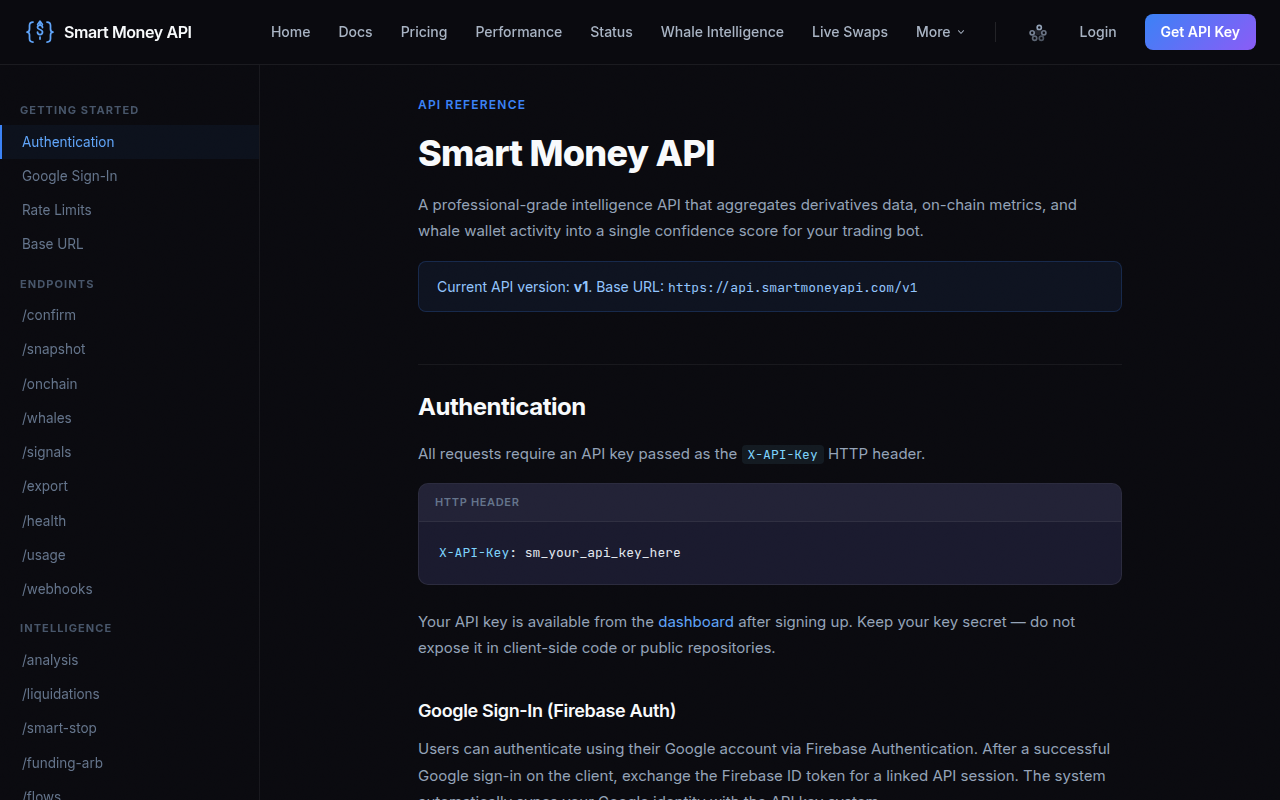
Sign up at smartmoneyapi.com/signup and grab your free API key from the dashboard. All examples below assume you store it in an environment variable called SMART_API_KEY.
TradingView Integration: Webhook Setup and Alert Actions
TradingView alerts can send JSON payloads to any URL when conditions trigger. Pairing this with the confirmation API lets you overlay a second layer of validation without leaving the chart. Below we build a webhook that receives a trading signal, pings the confirmation endpoint, and only forwards the alert if the score is high enough.
Step‑by‑Step Webhook Flow
- Create a Pine Script condition: For example, a moving‑average crossover or RSI divergence. In our test, we’ll use
longCondition = crossover(close, sma200). - Set an alert: In TradingView, attach an alert to that indicator. For the webhook URL, we need an intermediary — a tiny cloud function or a service like Pipedream, IFTTT, or a self‑hosted Node.js/Python server. For maximum control we’ll write a lightweight serverless function.
- Write the receiver function: This function will parse the TradingView message, extract the ticker and direction, call the confirmation API, and decide whether to forward the signal to your broker or notification channel.
- Test with a demo alert: Fire a manual alert to see the full pipeline work end‑to‑end.
Here is a minimal Node.js Cloud Function (on Vercel or AWS Lambda) that does exactly this:
// POST handler for TradingView webhook
module.exports = async (req, res) => {
  const { ticker, direction } = req.body;
  const apiKey = process.env.SMART_API_KEY;
  const url = `https://api.smartmoneyapi.com/v1/confirm?symbol=${ticker}&direction=${direction}`;
  const response = await fetch(url, { headers: { 'x-api-key': apiKey } });
  const data = await response.json();
  if (data.confidence === 'HIGH' && data.composite >= 0.65) {
    // Forward to broker or Discord
    console.log('Confirmed signal:', data);
    // ... place order or send alert
  } else {
    console.log('Insufficient confidence, skipping.');
  }
  res.status(200).json({ received: true });
};
The key advantage: you keep your TradingView alert simple and move the intelligence into middleware that can query the API, enforce risk rules, and log every decision. For crypto traders, you can also use the futures calculator to determine contract quantity based on the size_mult and your account equity before the order is sent.
Discord Bot: Auto-Post High-Conviction Signals
Sharing confirmed signals with a trading group or your personal Discord server is a great way to stay accountable and act fast. We’ll create a Discord bot that listens to a restricted channel and posts only HIGH or VERY HIGH confidence alerts.
Prerequisites
- A Discord application with a bot token (create at Discord Developer Portal)
- A server where you can run a Python script (Raspberry Pi, VPS, or always‑on PC)
Building the Signal Bot
- Install discord.py:
pip install discord.py aiohttp - Create bot.py with the code below. It monitors a specific channel for commands like
!signal BTC long. - On command, fetch confirmation score from the Smart Money API.
- If confidence is HIGH or VERY HIGH, post an embed with the composite score, size multiplier, and sub‑scores into a designated #signals channel.
import discord
import aiohttp
import os

TOKEN = 'YOUR_DISCORD_BOT_TOKEN'
API_KEY = os.getenv('SMART_API_KEY')

client = discord.Client()

@client.event
async def on_message(message):
    if message.author == client.user:
        return
    if message.content.startswith('!signal'):
        parts = message.content.split()
        symbol = parts[1].upper()
        direction = parts[2].lower()
        url = f'https://api.smartmoneyapi.com/v1/confirm?symbol={symbol}&direction={direction}'
        headers = {'x-api-key': API_KEY}
        async with aiohttp.ClientSession() as session:
            async with session.get(url, headers=headers) as resp:
                data = await resp.json()
                if data['confidence'] in ('HIGH', 'VERY HIGH'):
                    channel = discord.utils.get(message.guild.channels, name='signals')
                    embed = discord.Embed(title=f"CONFIRMED {direction.upper()} on {symbol}",
                                          description=f"Composite: {data['composite']}\nConfidence: {data['confidence']}\nSize Mult: {data['size_mult']}",
                                          color=0x00ff00)
                    embed.add_field(name='Deriv', value=data['deriv_score'], inline=True)
                    embed.add_field(name='On‑Chain', value=data['onchain_score'], inline=True)
                    embed.add_field(name='Whale', value=data['whale_score'], inline=True)
                    await channel.send(embed=embed)

client.run(TOKEN)
This keeps your Discord channel clean — only signals that meet your conviction threshold get posted. You can extend the bot to include a !size command that uses the size_mult alongside the position size calculator to suggest a dollar amount.
Python Trading Bot: Fetch Score, Validate, Place Order
Automating execution with a custom Python bot gives you full control over timing, risk management, and exchange interactions. Here we’ll build a loop that polls the confirmation API for a watchlist of symbols, checks if a direction is confirmed, and places a market order on Binance (or any exchange using CCXT).
Bot Architecture
- Load your watchlist and desired direction from a config file or database.
- For each symbol, call the confirmation endpoint every N minutes (respecting rate limits).
- Evaluate composite and confidence against your entry rules.
- If confirmed, calculate order size using
size_multand your risk model. - Place the order with a stop‑loss and take‑profit.
The following skeleton uses CCXT and the Smart Money API. It assumes you’re running on a server and have environment variables for exchange and API keys.
import ccxt, time, os, requests

EXCHANGE = ccxt.binance({
    'apiKey': os.getenv('BINANCE_KEY'),
    'secret': os.getenv('BINANCE_SECRET'),
})
SMART_API_KEY = os.getenv('SMART_API_KEY')
WATCHLIST = [{'symbol': 'BTC/USDT', 'direction': 'long'},
             {'symbol': 'ETH/USDT', 'direction': 'short'}]

while True:
    for item in WATCHLIST:
        symbol = item['symbol'].split('/')[0]
        direction = item['direction']
        resp = requests.get(
            f'https://api.smartmoneyapi.com/v1/confirm?symbol={symbol}&direction={direction}',
            headers={'x-api-key': SMART_API_KEY}
        )
        data = resp.json()
        if data['confidence'] == 'HIGH' and data['composite'] >= 0.65:
            # Size calculation: base_quantity * size_mult
            base_qty = 0.01  # your default size in BTC or ETH
            qty = base_qty * data['size_mult']
            # Place order (market order here for simplicity)
            try:
                if direction == 'long':
                    order = EXCHANGE.create_market_buy_order(item['symbol'], qty)
                else:
                    order = EXCHANGE.create_market_sell_order(item['symbol'], qty)
                print(f"Order placed: {order}")
            except Exception as e:
                print(f"Order failed: {e}")
    time.sleep(300)  # wait 5 minutes
For production, incorporate the position size calculator to adjust quantity dynamically based on stop‑loss distance and account equity. Also log every API response for debugging.
Webhook Payload Structure and Error Handling
Regardless of the environment, handling the webhook payload correctly prevents silent failures. The TradingView webhook sends a JSON object whose structure you define in the alert message. You must ensure your middleware expects the exact fields.
Designing the Alert Payload
A typical TradingView alert message box might contain:
{
  "ticker": "{{ticker}}",
  "direction": "{{strategy.order.action}}",
  "price": {{close}},
  "volume": {{volume}},
  "time": "{{timenow}}"
}
Your receiver must parse ticker and direction exactly as they arrive. Note that {{strategy.order.action}} outputs "buy" or "sell" — map "buy" to "long", "sell" to "short".
Error Handling Checklist
- Missing API key: Return HTTP 401 and stop processing.
- Invalid symbol: The API returns 200 with an error field; check for
data.error. - Rate limits: The Smart Money API free tier allows 30 requests/minute. Implement exponential backoff with jitter.
- Network timeouts: Set a 5‑second timeout and retry once before skipping.
- Logging: Write every request and response to a log file for later analysis.
A defensive code snippet for the fetch:
import time, requests
from requests.exceptions import RequestException

MAX_RETRIES = 3
for attempt in range(MAX_RETRIES):
    try:
        r = requests.get(url, headers=headers, timeout=5)
        r.raise_for_status()
        data = r.json()
        if 'error' in data:
            raise ValueError(f"API error: {data['error']}")
        break
    except (RequestException, ValueError) as e:
        if attempt < MAX_RETRIES - 1:
            time.sleep(2 ** attempt + random.uniform(0, 1))
        else:
            raise
Following these patterns ensures your integration is robust and doesn’t miss signals due to transient issues.
Backtesting Your Confidence-Weighted Strategy
Before going live, validate the confirmation scores against historical data. Backtesting with the API’s size_mult concept helps you understand edge and drawdowns. You can simulate by pulling composite scores for past candles and evaluating whether a trade would have been profitable.
A simple approach: for every hourly candle over the last 6 months on BTC, run a hypothetical long/short signal only when composite ≥ 0.65 and confidence ≥ HIGH. Record the forward return after N candles. This gives you a performance curve weighted by conviction. You can enhance with the futures calculator to model margin and P&L accurately.
While the Smart Money API does not provide historical endpoints (yet), you can cache live responses over weeks to build your own dataset. Many quant traders use this method to fine‑tune thresholds before hooking up real capital.
Troubleshooting: Rate Limits, Authentication, and Latency
Production systems inevitably run into issues. Here are the most common and how to solve them:
- Rate limits (429 status): Reduce polling frequency. Cache responses for a short period (e.g., 5 seconds if calling within the same tick) instead of calling per alert.
- Authentication failures (403/401): Double‑check that the
x-api-keyheader is exactly the key from the dashboard. Ensure it’s not being stripped by a proxy. - Latency: The API typically responds in under 200 ms. If you see delays above 1 second, check network path; consider deploying your middleware in the same region as the API server (usually us‑east).
- Unexpected payloads: TradingView sometimes sends
strategy.order.actionas an empty string during testing. Add a guard clause to default to your desired direction. - Size multiplier misuse: The size_mult is a statistical edge, not a holy grail. Always combine it with a fixed dollar risk per trade.
If you consistently face issues, join the Smart Money API Discord community — they post status updates and example integrations.
Conclusion: Start Automating Your Trade Confirmations Today
You’ve seen step‑by‑step how to fetch, validate, and act on institutional‑grade trade‑confirmation scores using simple webhooks, Discord bots, and Python trading bots. The Smart Money API’s composite score — combining derivatives, on‑chain flows, and whale tracking — gives you a single edge to filter out noise and scale into high‑probability setups. The free tier has no upfront cost, so you can test everything before committing. Grab your API key at smartmoneyapi.com/signup and start wiring smarter signals into your stack today.